Automating author submissions and reducing manual workload
Context & Objective
In this project, I was responsible for redesigning the submission flow used by the Customer Care team and article authors.
The existing process was outdated, highly manual, and caused a significant amount of back-and-forth communication between authors and support staff. The goal was to:
- Automate parts of the workflow using document scanning
- Empower authors to manage their own submissions
- Reduce pressure on Customer Care and streamline communication
This solution was part of a larger internal initiative to modernize backend systems and improve the author experience.
My Role
- UX Designer responsible for the full design process
- Conducted research and process analysis
- Delivered UX and UI design aligned with the company’s design system
- Collaborated closely with developers and Customer Care to ensure feasibility
- Created and renewed user and admin flows
User Research
To understand the real friction points and opportunities, I:
- Conducted interviews with Customer Care staff
- Gathered insights from authors and editors
- Performed desk research on document scanning capabilities and similar workflows in publishing tech
- Mapped the current submission flow and identified critical drop-off or bottleneck areas
Personas & Journeys
Two main personas were defined:
- The Author:Wants a simple and guided submission experience without unnecessary communication
- Customer Care:Needs to minimize manual entry and reduce time spent on email follow-ups
I mapped their respective journeys to identify overlapping touchpoints and moments of inefficiency.
Design Solution
The final concept included:
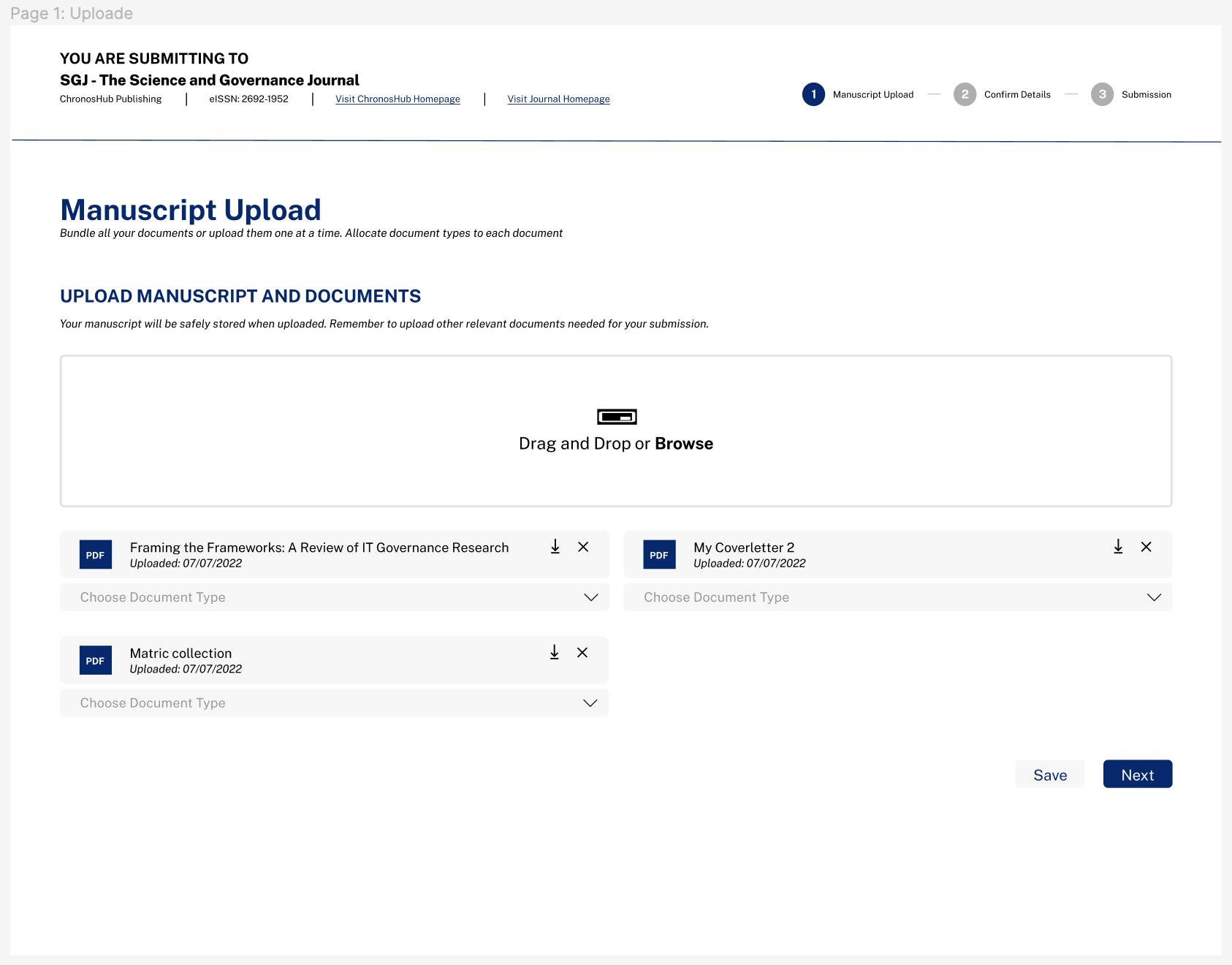
- A clean, guided UI that adapts to the type of submission
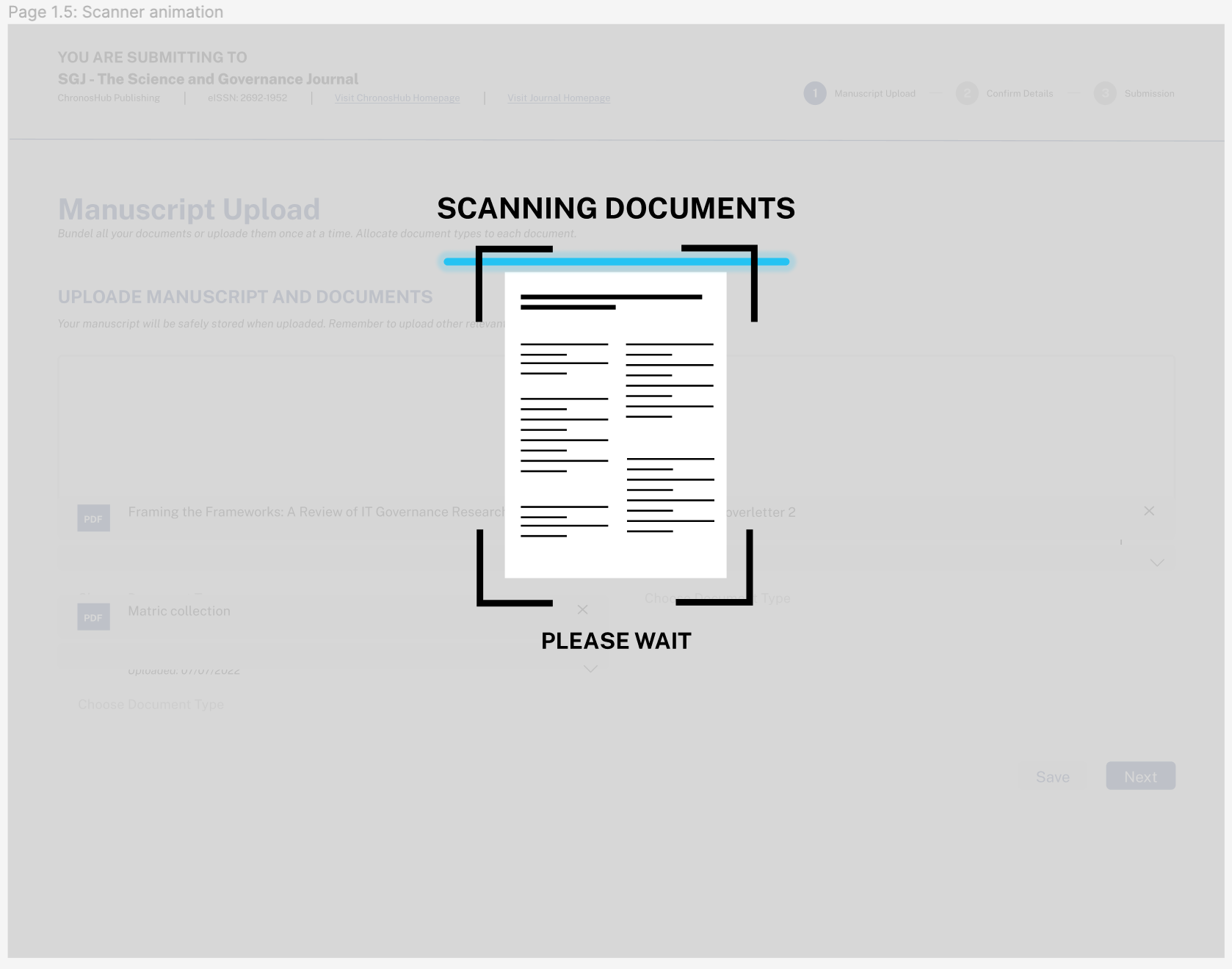
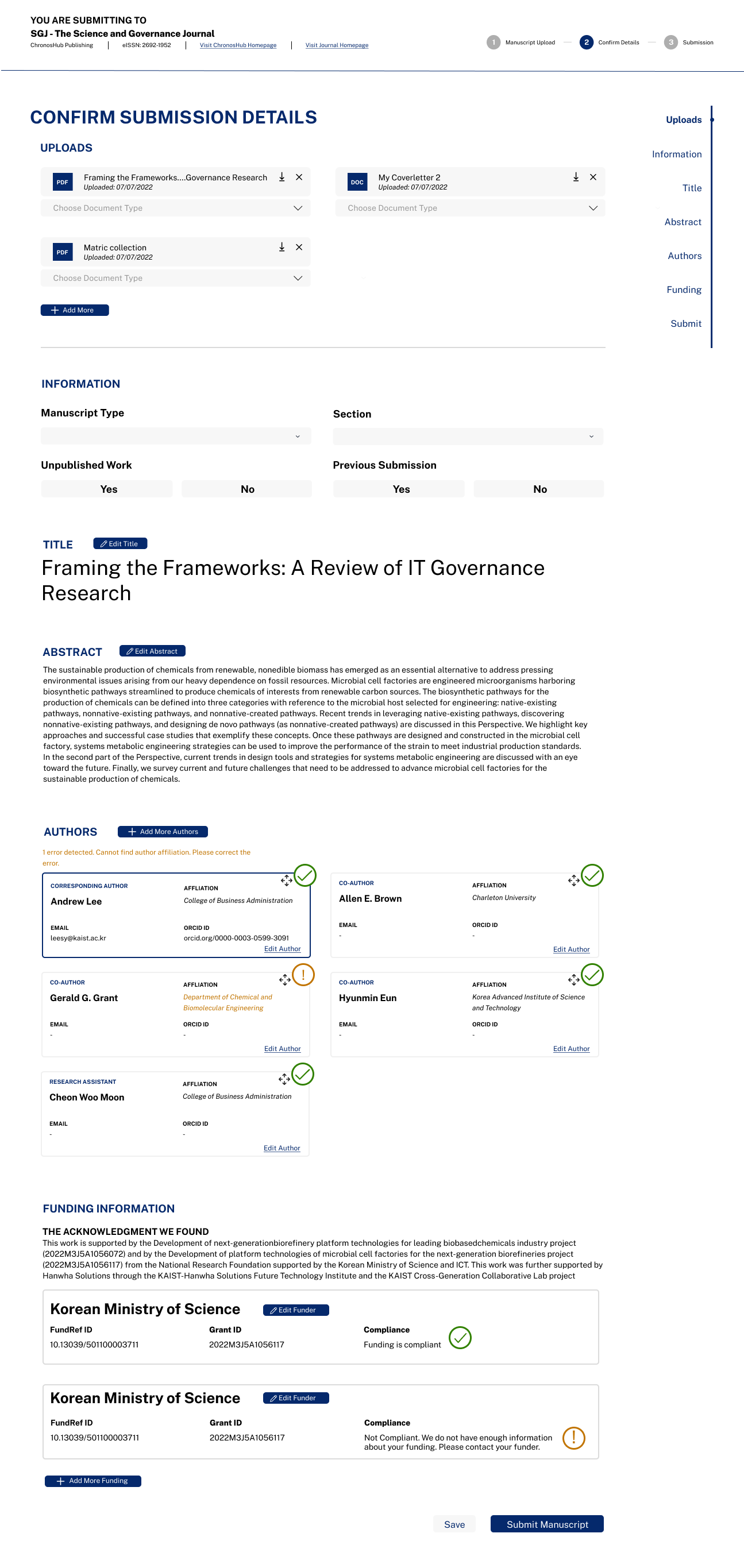
- Integration with a document scanning engine to automate form fields
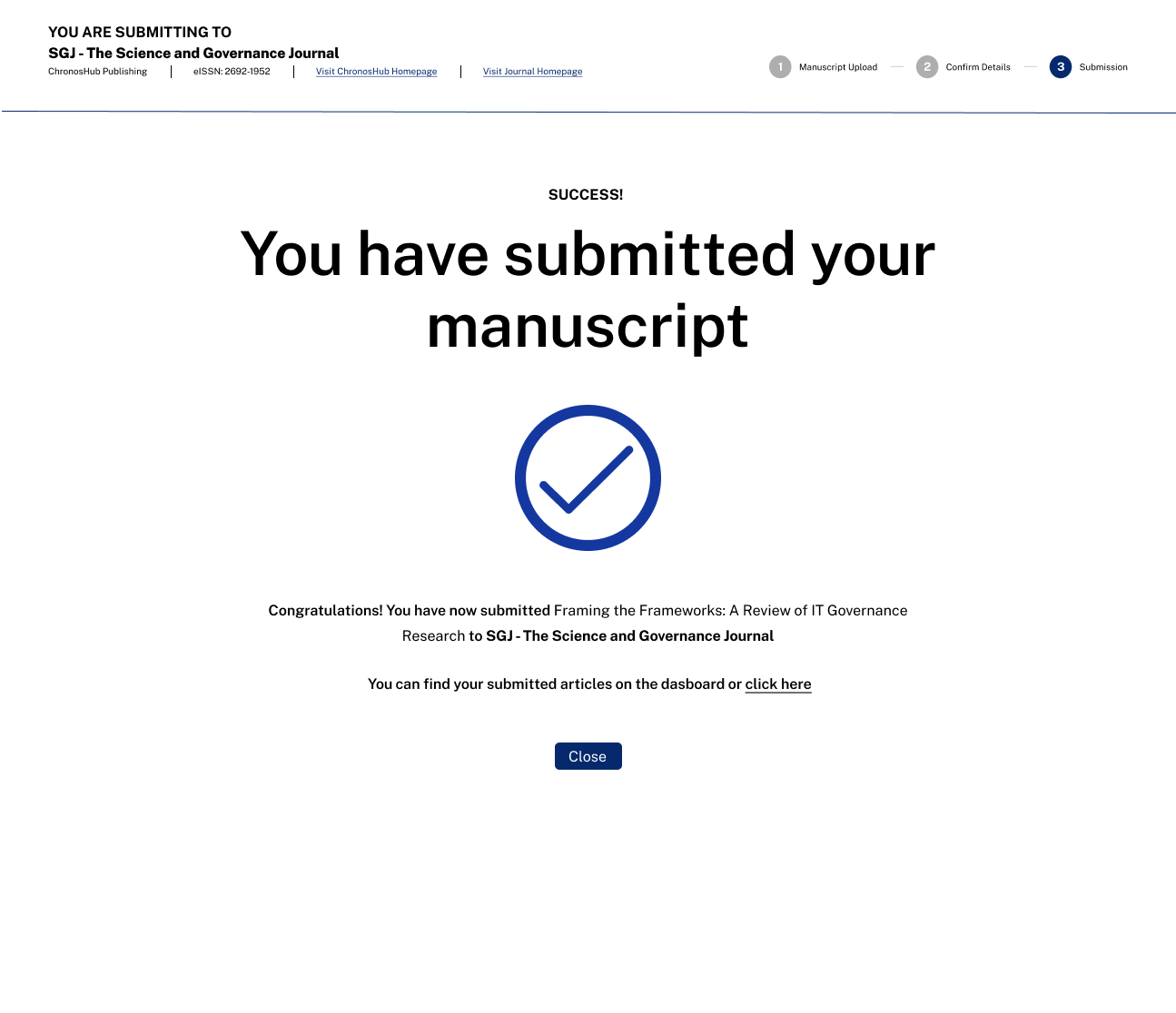
- Clear progress indicators and validations
- Error prevention patterns to help reduce failed submissions
- Visual consistency based on the company’s design system
Outcome & Learnings
- A validated submission flow ready for implementation
- Document scanning added tangible automation value
- Support staff were excited about reduced workload and email dependency
- Key takeaway: Designing for automation still requires deep human understanding – tech alone doesn’t solve process friction
Tools Used
- Figma – wireframes and UI design
- Miro – process mapping and ideation
- Internal tools – for flow analysis and user insight collection